

Connect wallet
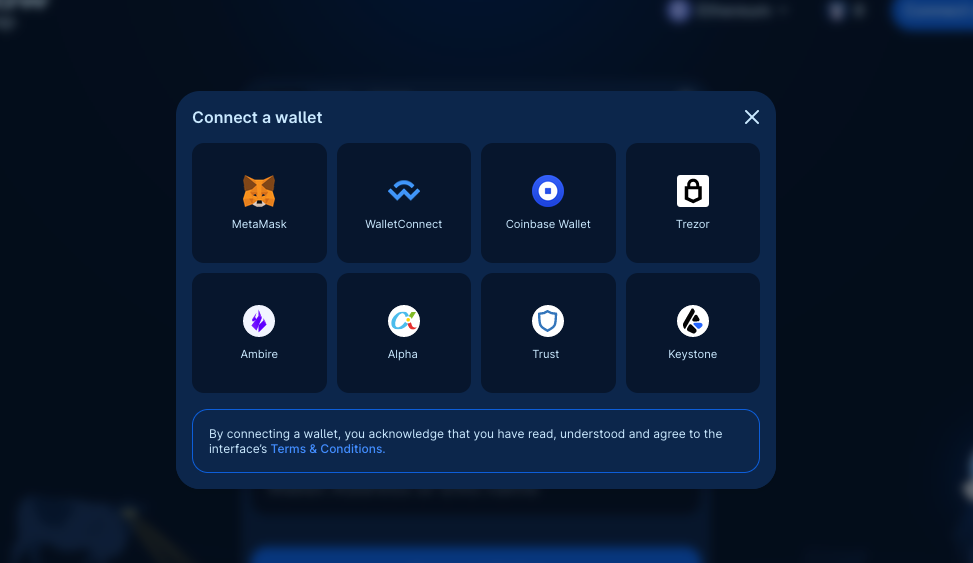
Go to CoW Swap and connect your web3 wallet.If you don’t have a web3 wallet yet, you can easily get one! Here are some suggestions:
- Use a browser extension wallet such as Rabby or Metamask
- A hardware wallet such as Trezor
- A Smart Contract Wallet such as Safe
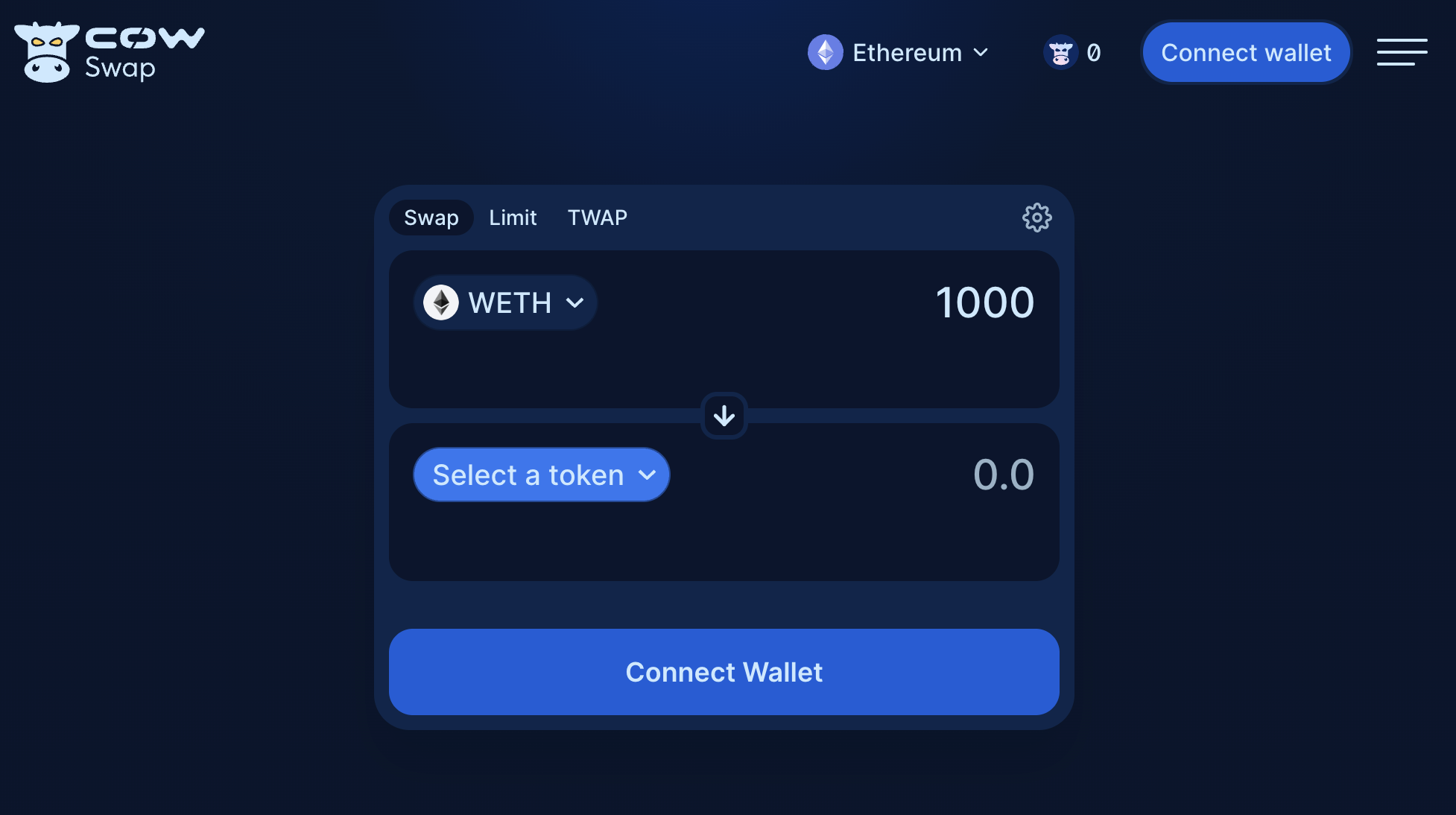
Connect wallet.
Select tokens
Consider an example swapping 0.05WETH for COW.
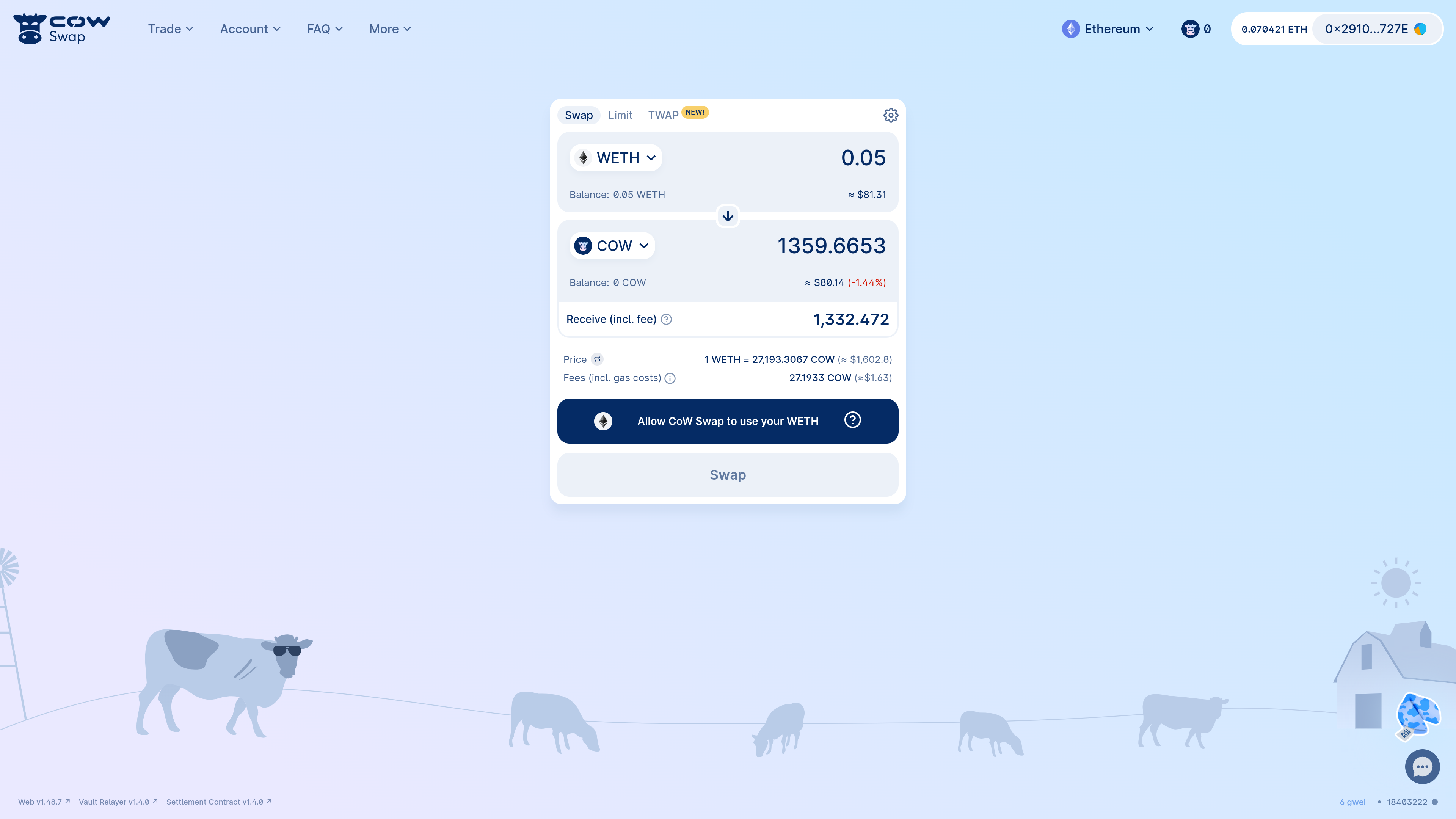
WETH). This is because this is the contract that will pull the WETH from your wallet and send it to the settlement contract that will co-ordinate the swap on your behalf.
Both contracts are audited, battle-tested and non-upgradeable.
Moreover, the settlement contract is the only address that can request the vault relayer to pull your funds and only after verifying both that:
- Your order was signed by you
- and that you will receive at least your limit execution price or better
Approve sell token
Some tokens, such as 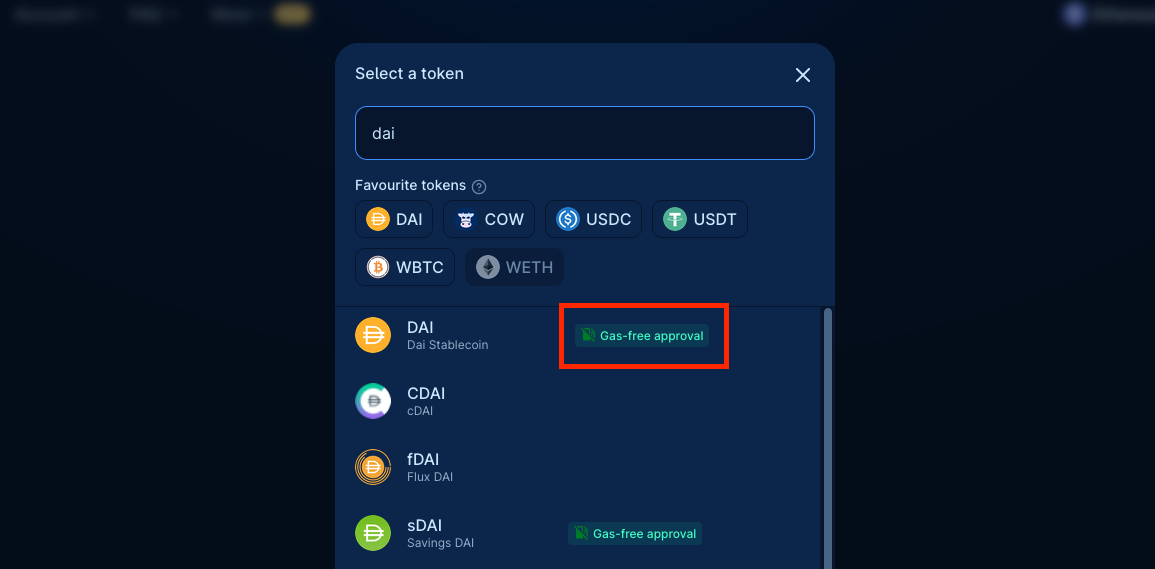
USDC, DAI, COW and many others support gasless approvals. This means that you can approve the vault relayer contract to spend your tokens without having any initial gas for an on-chain transaction. This is a great way to save on gas costs!You don’t have to worry about this, as CoW Swap will automatically detect if the token supports gasless approvals and will guide you through the process.Just look for the gasless approval flag when picking the tokens to get started:Trade of gasless compatible tokens is supported on Swap and Limit orders, and are NOT available for Smart Contract wallets.
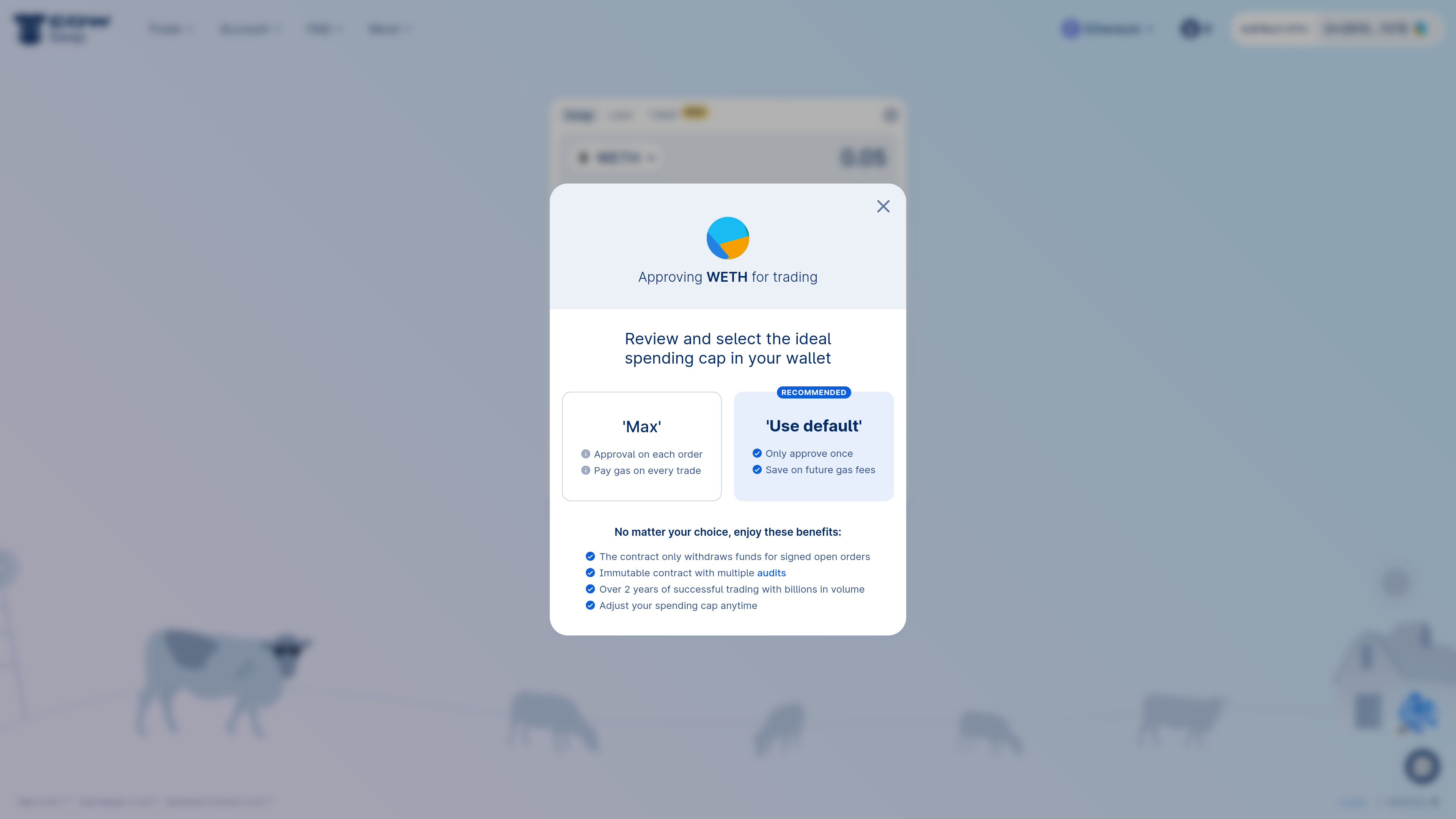
- Not having to approve every time you trade
- Saving on gas costs
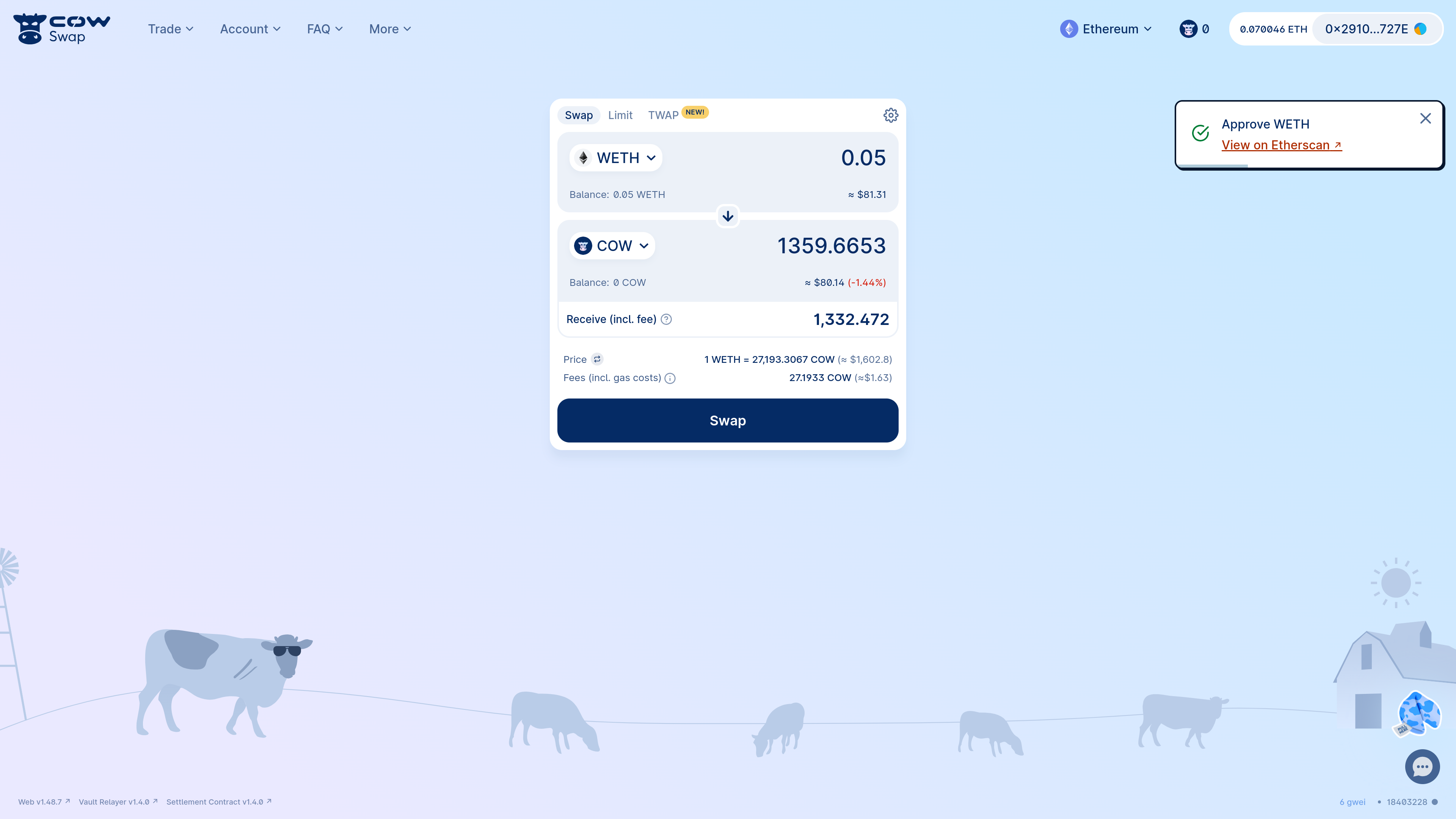
approve transaction is confirmed, you can proceed to swap!
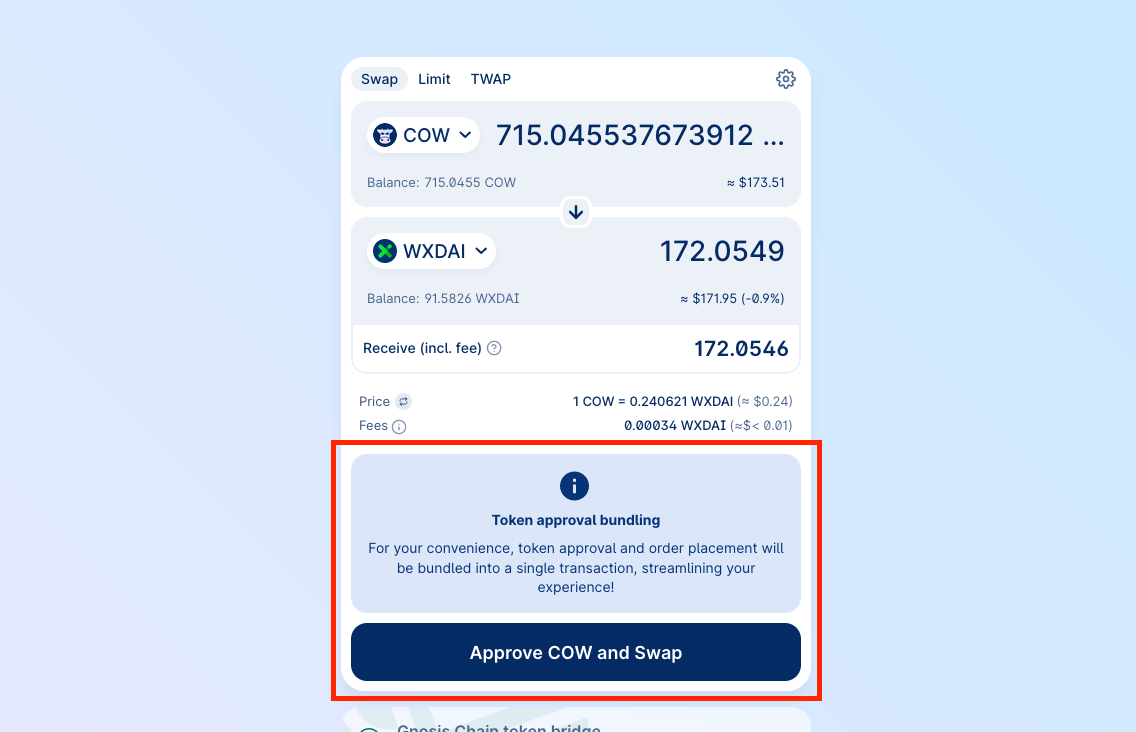
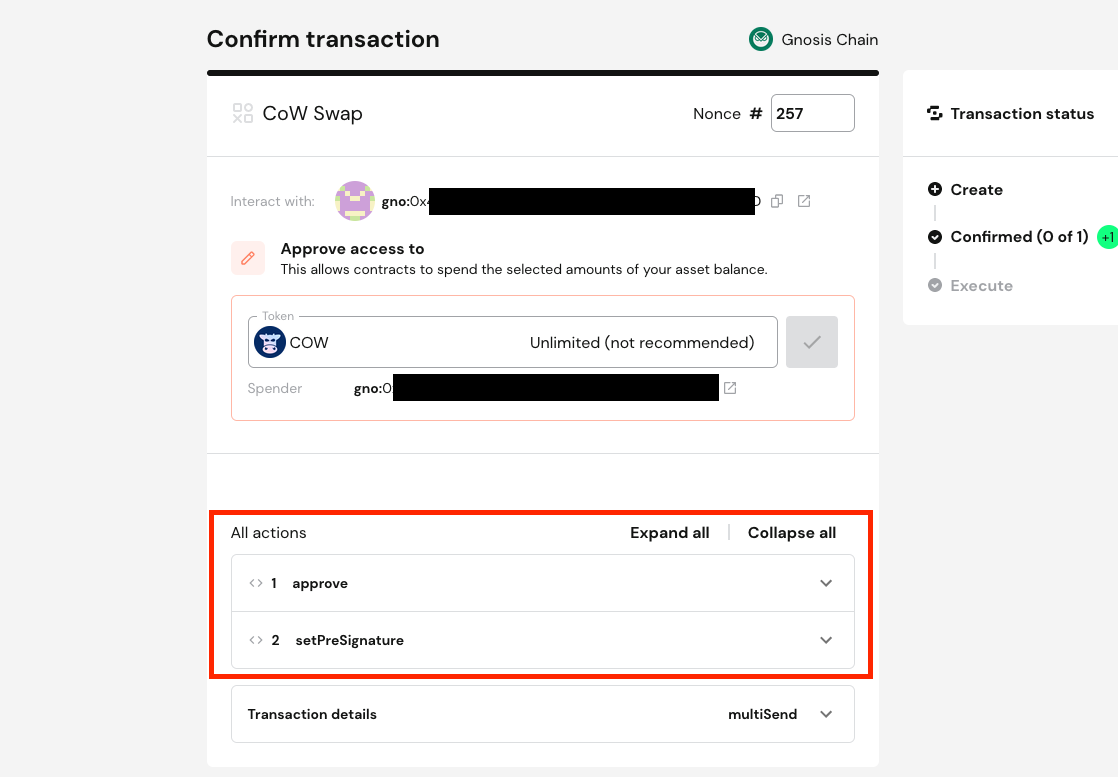
Confirm swap
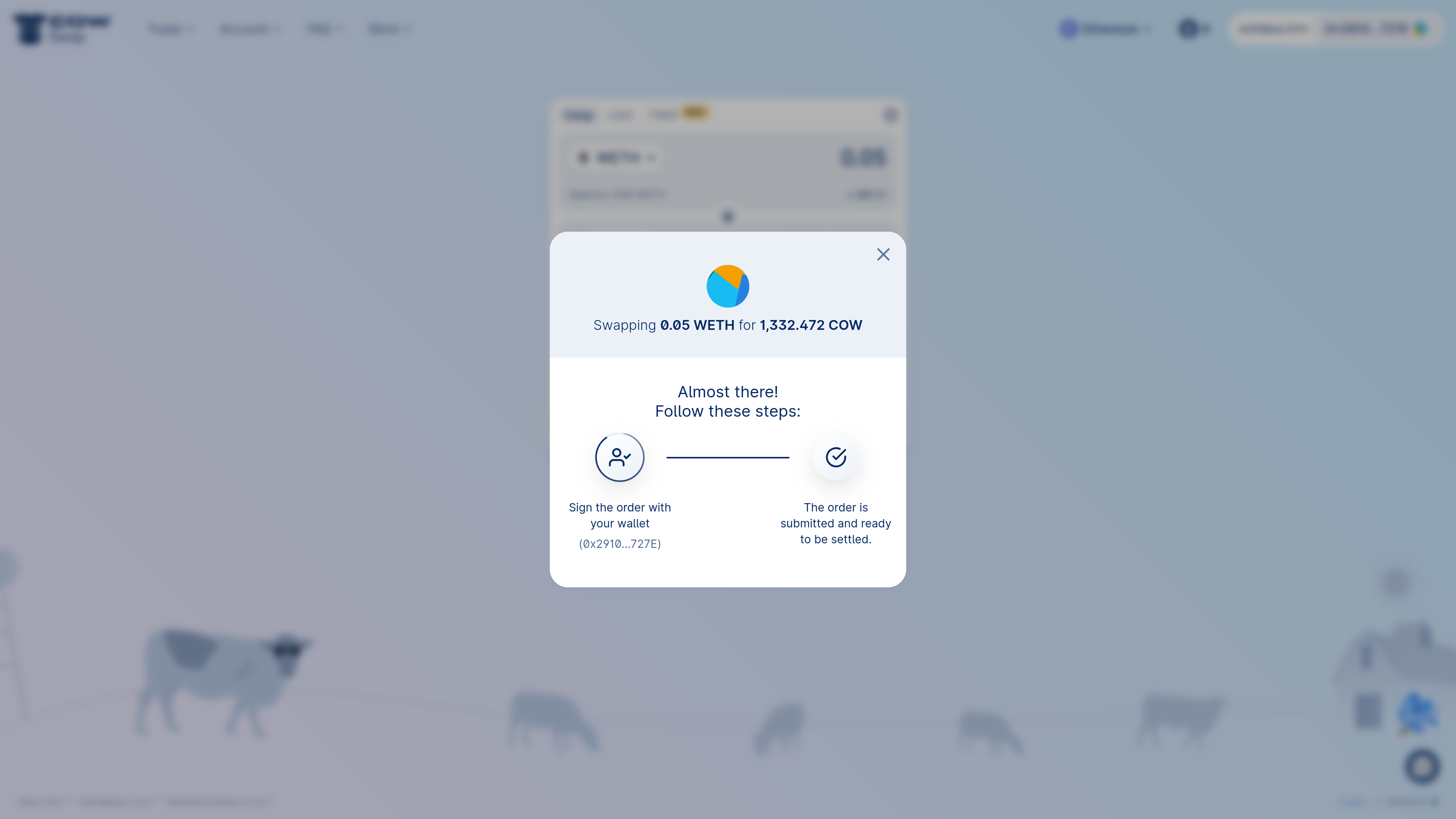
When you’re ready to swap, click the “Swap” button. You will be prompted to confirm the swap. This is when you can review the details of the swap (i.e. the quote, the slippage tolerance, etc.). If you’re happy with the details, click “Confirm Swap”. You will be prompted to sign the order. Be careful when signing an order. All of the associated parameters are final and cannot be changed once the order is signed and submitted to the API. If you make a mistake, you will need to cancel the order and create a new one.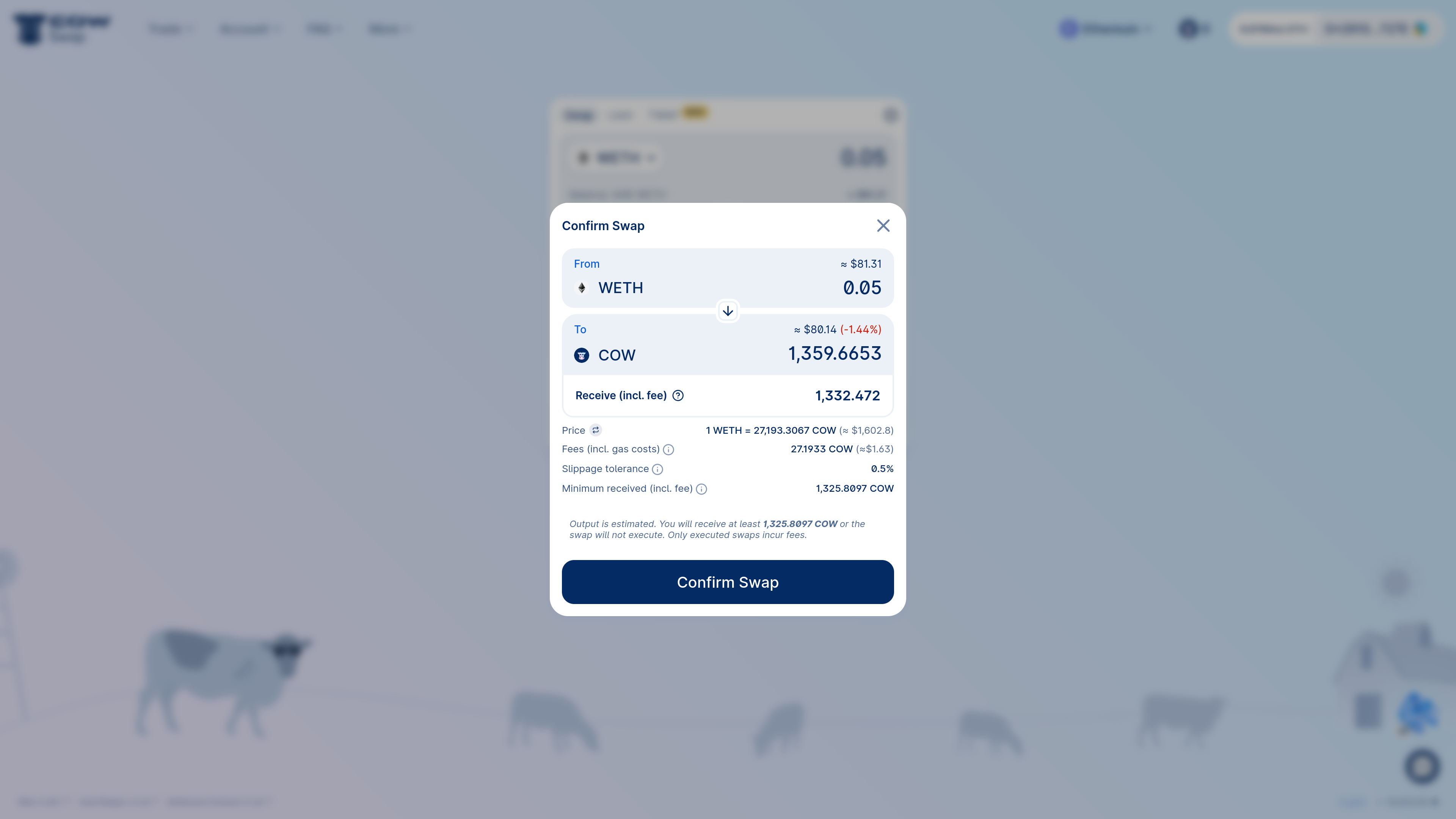
Track your order
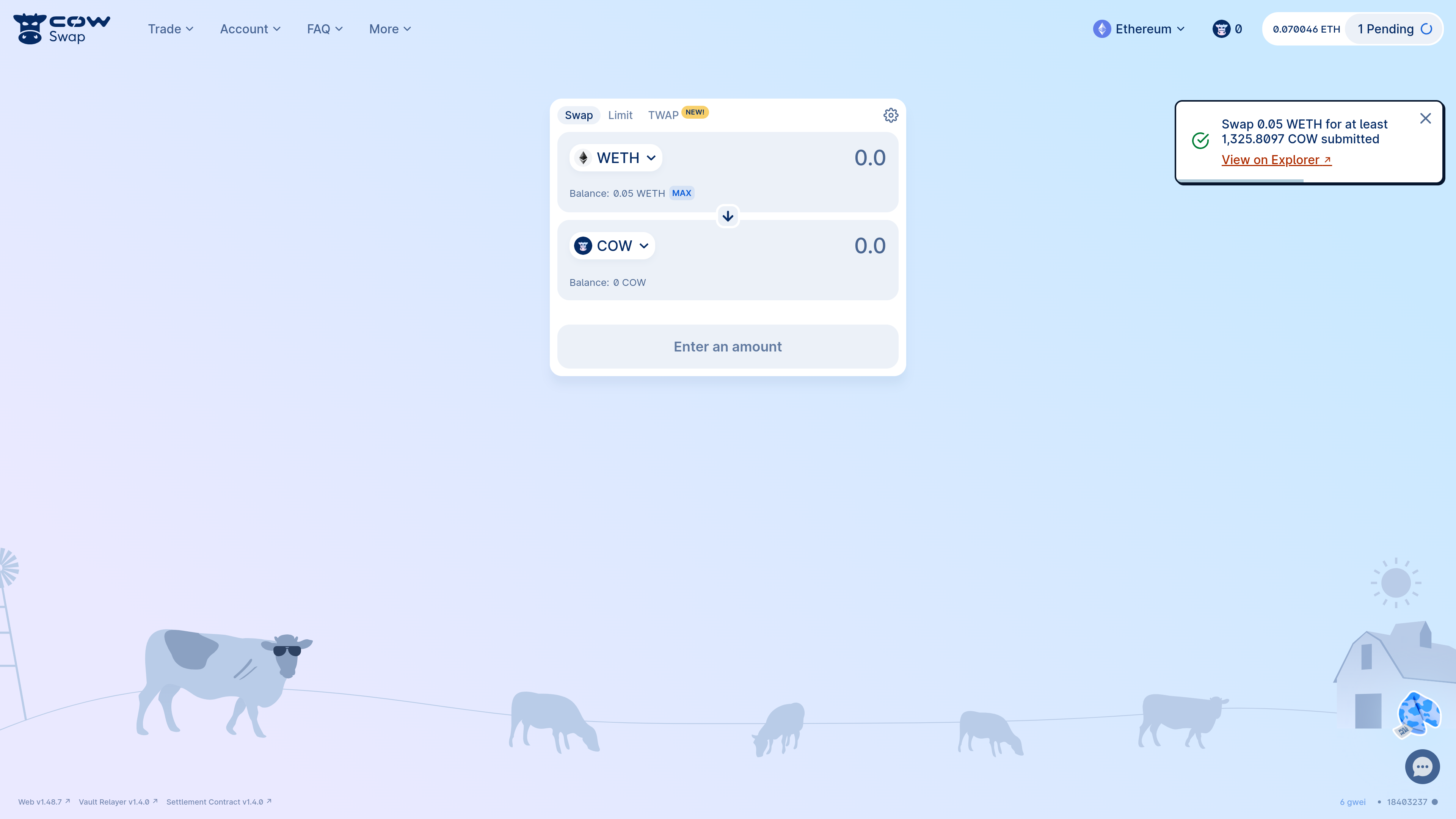
Your order will be in the order book and ready to be executed.- CoW Swap will automatically notify in a pop-up message once your order is executed.
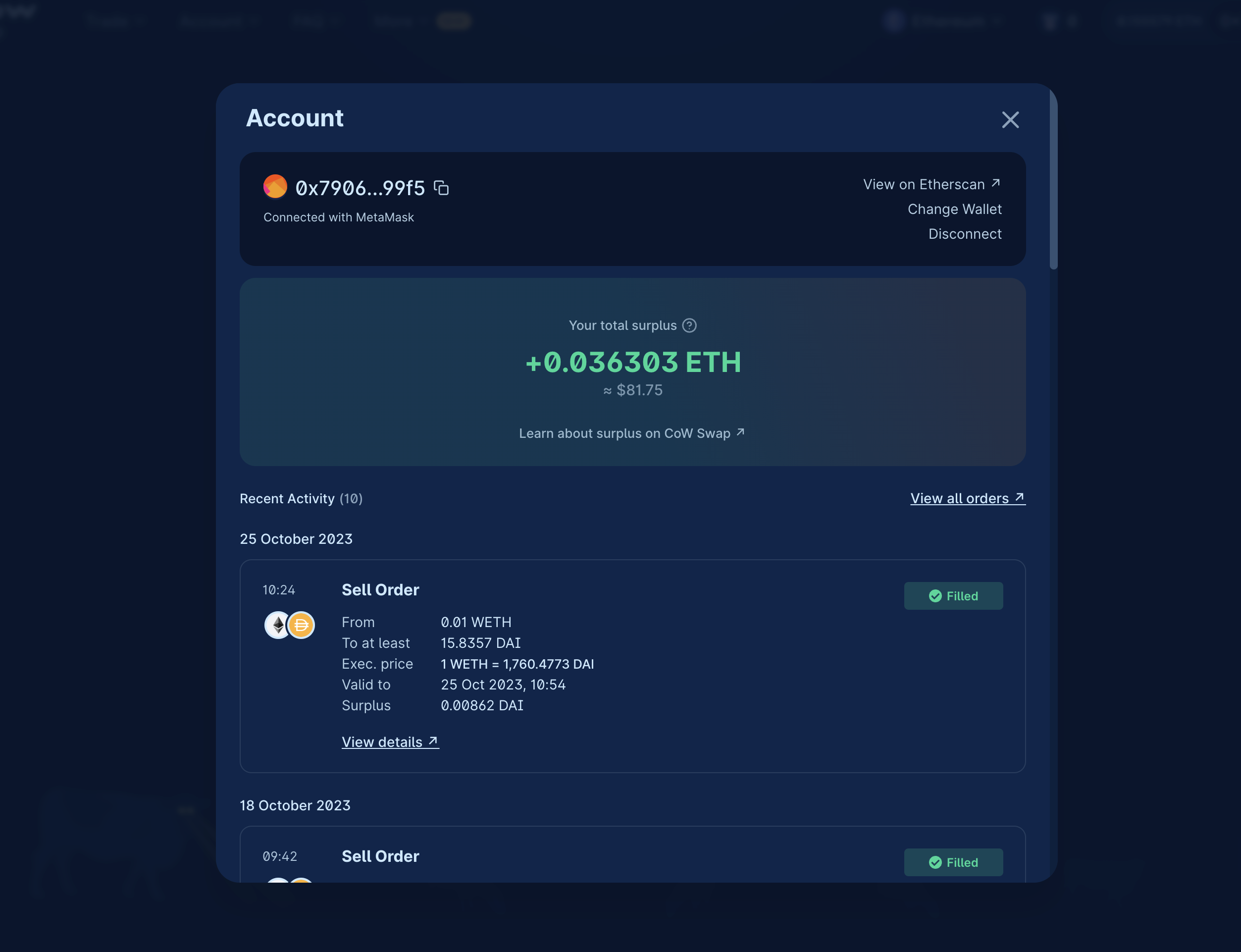
- You can keep track of the order status by checking the recent history (click on your connected wallet address in the top right corner).
- You can also view your order on CoW Explorer.
Cancel your order
Changed your mind? Not a problem! CoW Swap makes it easy and gasless1 to cancel your order. First, open the activity panel by clicking on your address in the top right corner.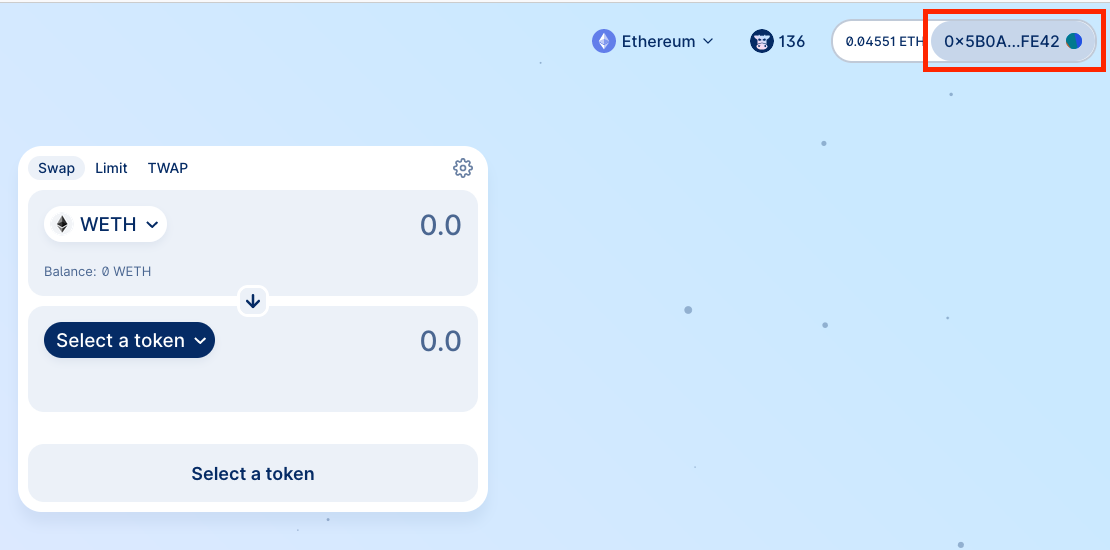
Cancel order.
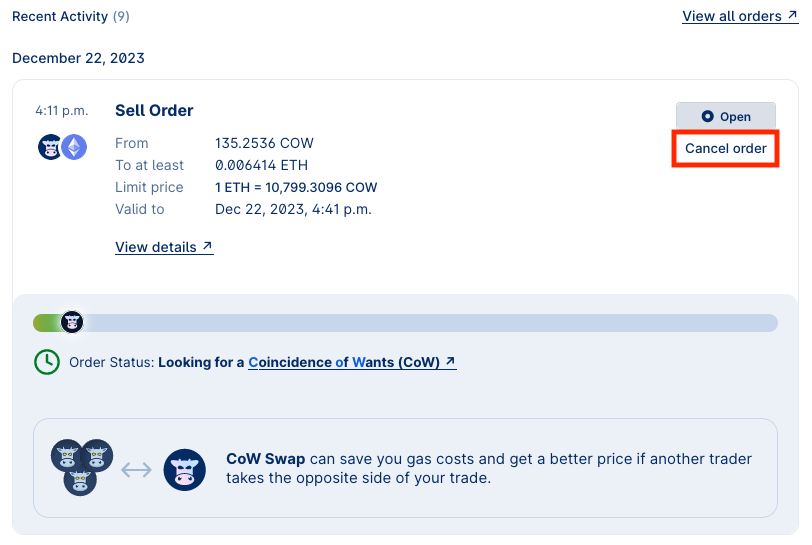
off-chain (default) or on-chain.
Cancelling orders off-chain is free and does not require a transaction. However, there is a risk that the order is matched between the time you cancel it and the time the cancellation is processed off-chain.
Cancellations are not immediate, and your order may settle before the cancellation goes through.
off-chain cancellation, click “Request cancellation” as shown below.
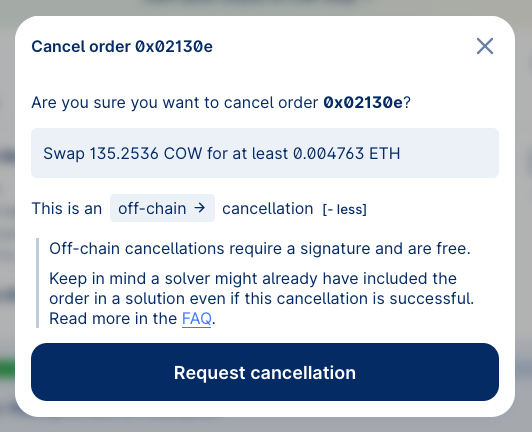
on-chain cancellation transaction. This will cost gas. To do so, toggle the type of cancellation to on-chain by clicking on off-chain.
Even with
on-chain cancellations, there is still a risk that the order is matched before the on-chain cancellation transaction is confirmed. Make sure to set a high priority fee and sign swiftly.Footnotes
- Only
off-chaincancellations are gasless.on-chaincancellations - as the name states - require a regular network transaction. ↩